阿美特克 交流电源 Ls/Lx系列 - 使用说明书
文件名:阿美特克 交流电源 Ls/Lx系列 - 使用说明书
格式:PDF
大小:38.18 KB
页数:2页
本站仅提供预览学习使用,请勿用于商业用途
内容介绍
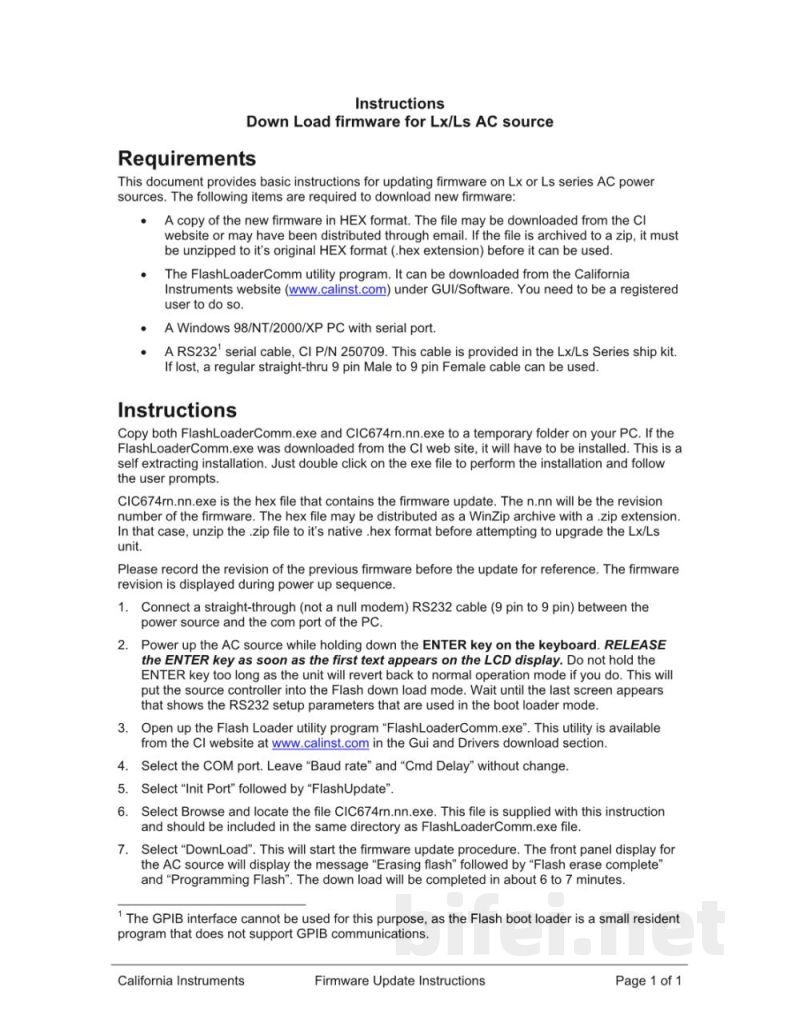
Instructions
Download firmware for Lx/Ls AC source Requirements
This document provides basic instructions for updating firmware on Lx or Ls series AC power sources. The following items are required to download new firmware:
1. A copy of the new firmware in HEX format. The file may be downloaded from the CI website or may have been distributed through email. If the file is archived as a zip file, it must be unzipped to its original HEX format (.hex extension) before it can be used.
2. The FlashLoaderComm utility program. It can be downloaded from the California Instruments website (calinst.com) under GUI/Software. You need to be a registered user to do so.
3. A Windows 98/NT/2000/XP PC with a serial port (RS232) and serial cable, CI P/N 250709. This cable is provided in the Lx/Ls series ship kit. If lost, a regular straight-through 9-pin male to 9-pin female cable can be used.
Instructions
Copy both FlashLoaderComm.exe and CIC674rn.nn.exe to a temporary folder on your PC. If the FlashLoaderComm.exe was downloaded from the CI website, it will have to be installed. This is a self-extracting installation. Double-click the .exe file to perform the installation and follow the user prompts.
CIC674rn.nn.exe is the HEX file that contains the firmware update. The n.n portion represents the revision number of the firmware. The HEX file may be distributed as a WinZip archive with a .zip extension. In that case, unzip the .zip file to its native .hex format before attempting to upgrade the Lx/Ls unit.
Please record the revision of the previous firmware before the update for reference. The firmware revision is displayed during the power-up sequence.
Connect a straight-through (not a null modem) RS232 cable (9 pin to 9 pin) between the power source and the COM port of the PC.
Power up the AC source while holding down the ENTER key on the keyboard. Release the ENTER key as soon as the first text appears on the LCD display. Do not hold the ENTER key too long, as the unit will revert back to normal operation mode if you do. This will put the source controller into Flash download mode. Wait until the last screen appears that shows the RS232 setup parameters used in bootloader mode.
Open the FlashLoader utility program (FlashLoaderComm.exe). This utility is available from the CI website at calinst.com in the GUI and driver section.
Download firmware for Lx/Ls AC source Requirements
This document provides basic instructions for updating firmware on Lx or Ls series AC power sources. The following items are required to download new firmware:
1. A copy of the new firmware in HEX format. The file may be downloaded from the CI website or may have been distributed through email. If the file is archived as a zip file, it must be unzipped to its original HEX format (.hex extension) before it can be used.
2. The FlashLoaderComm utility program. It can be downloaded from the California Instruments website (calinst.com) under GUI/Software. You need to be a registered user to do so.
3. A Windows 98/NT/2000/XP PC with a serial port (RS232) and serial cable, CI P/N 250709. This cable is provided in the Lx/Ls series ship kit. If lost, a regular straight-through 9-pin male to 9-pin female cable can be used.
Instructions
Copy both FlashLoaderComm.exe and CIC674rn.nn.exe to a temporary folder on your PC. If the FlashLoaderComm.exe was downloaded from the CI website, it will have to be installed. This is a self-extracting installation. Double-click the .exe file to perform the installation and follow the user prompts.
CIC674rn.nn.exe is the HEX file that contains the firmware update. The n.n portion represents the revision number of the firmware. The HEX file may be distributed as a WinZip archive with a .zip extension. In that case, unzip the .zip file to its native .hex format before attempting to upgrade the Lx/Ls unit.
Please record the revision of the previous firmware before the update for reference. The firmware revision is displayed during the power-up sequence.
Connect a straight-through (not a null modem) RS232 cable (9 pin to 9 pin) between the power source and the COM port of the PC.
Power up the AC source while holding down the ENTER key on the keyboard. Release the ENTER key as soon as the first text appears on the LCD display. Do not hold the ENTER key too long, as the unit will revert back to normal operation mode if you do. This will put the source controller into Flash download mode. Wait until the last screen appears that shows the RS232 setup parameters used in bootloader mode.
Open the FlashLoader utility program (FlashLoaderComm.exe). This utility is available from the CI website at calinst.com in the GUI and driver section.
预览图片
第1页
第2页