说明书-APC BX1100CI-CN备用电池
文件名:说明书-APC BX1100CI-CN备用电池
格式:PDF
大小:100.07 KB
页数:8页
本站仅提供预览学习使用,请勿用于商业用途
内容介绍
APC by Schneider Electric
Installation and Operation Manual
Back-UPS™ BX1100CI-CN
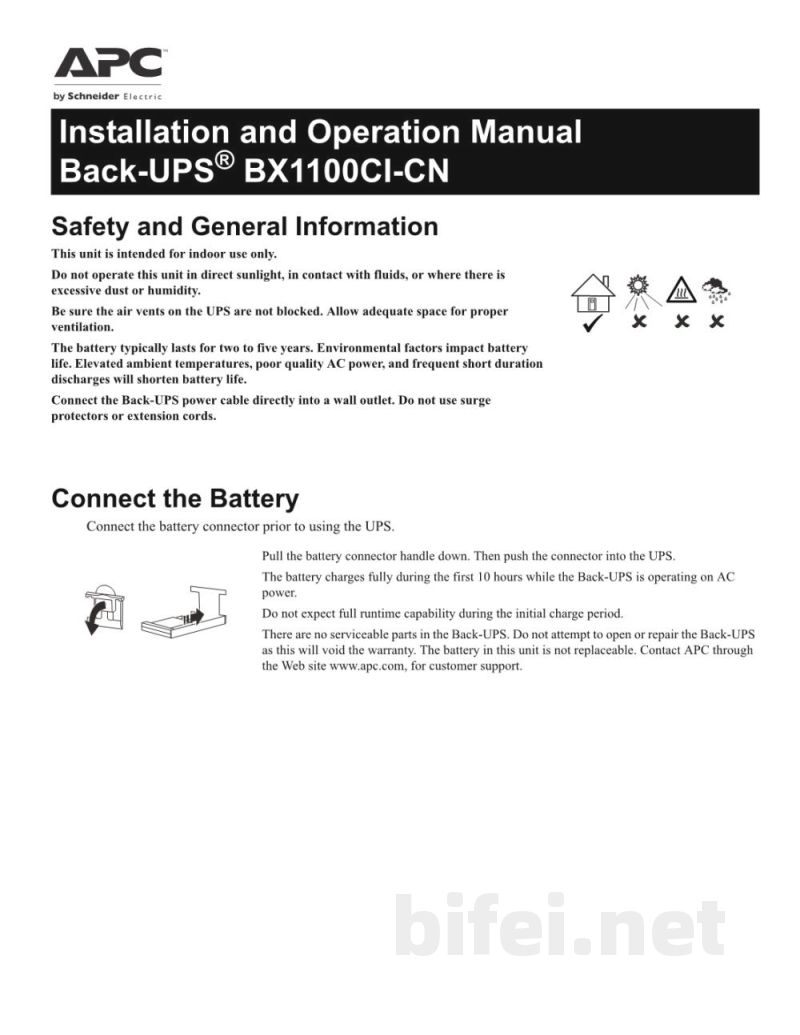
Safety and General Information
This unit is intended for indoor use only. Do not operate this unit in direct sunlight, in contact with fluids, or where there is excessive dust or humidity.
Be sure the air vents on the UPS are not blocked. Allow adequate space for proper ventilation.
The battery typically lasts for two to five years. Environmental factors impact battery life. Elevated ambient temperatures, poor quality AC power, and frequent short duration discharges will shorten battery life.
Connect the Back-UPS power cable directly into a wall outlet. Do not use surge protectors or extension cords.
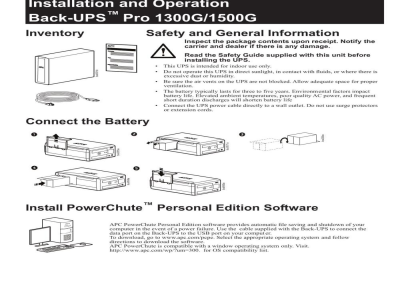
Connect the Battery
Connect the battery connector prior to using the UPS.
Pull the battery connector handle down, then push the connector into the UPS.
The battery charges fully during the first 10 hours while the Back-UPS is operating on AC power. Do not expect full runtime capability during the initial charge period.
There are no serviceable parts in the Back-UPS. Do not attempt to open or repair the Back-UPS, as this will void the warranty. The battery in this unit is not replaceable. Contact APC through the website apc.com for customer support.
Installation
Connect the Equipment
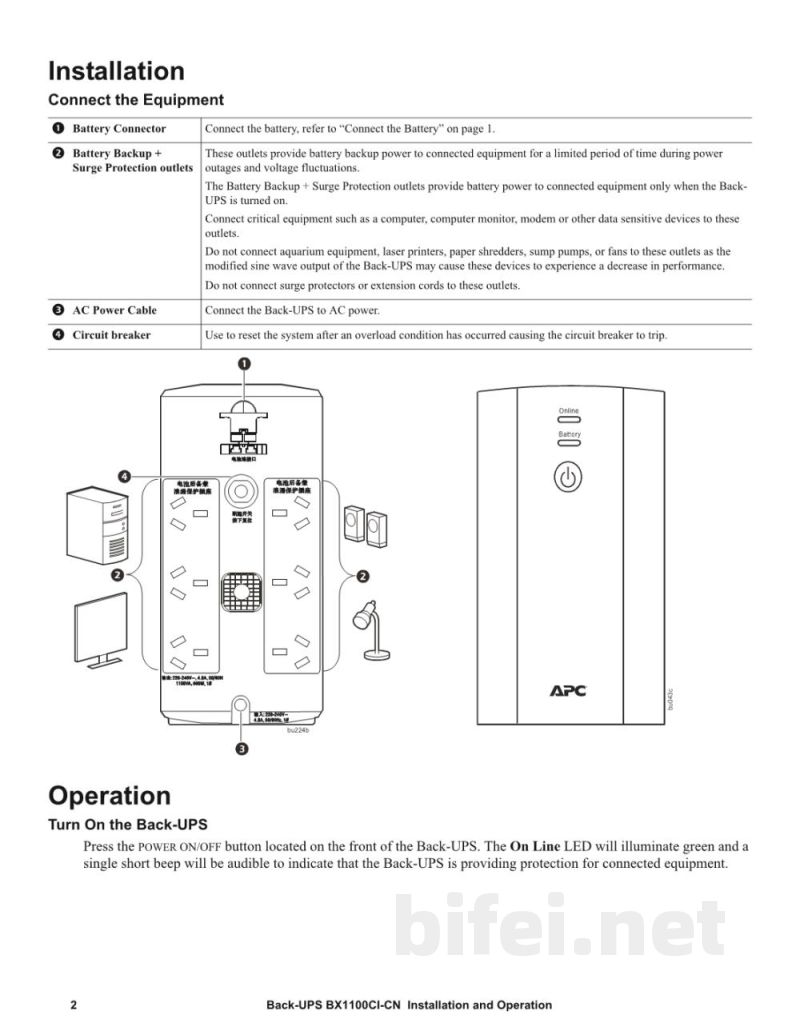
Battery Connector
Battery Backup + Surge Protection outlets
AC Power Cable
Circuit breaker
Operation
Connect the battery, refer to “Connect the Battery” on page 1.
These outlets provide battery backup power to connected equipment for a limited period of time during power outages and voltage fluctuations. The Battery Backup + Surge Protection outlets provide battery power to connected equipment only when the Back-UPS is turned on.
Connect critical equipment such as a computer, computer monitor, modem or other data sensitive devices to these outlets.
Do not connect aquarium equipment, laser printers, paper shredders, sump pumps, or fans to these outlets, as the modified sine wave output of the Back-UPS may cause these devices to experience a decrease in performance.
Do not connect surge protectors or extension cords to these outlets.
Connect the Back-UPS to AC power.
Installation and Operation Manual
Back-UPS™ BX1100CI-CN
Safety and General Information
This unit is intended for indoor use only. Do not operate this unit in direct sunlight, in contact with fluids, or where there is excessive dust or humidity.
Be sure the air vents on the UPS are not blocked. Allow adequate space for proper ventilation.
The battery typically lasts for two to five years. Environmental factors impact battery life. Elevated ambient temperatures, poor quality AC power, and frequent short duration discharges will shorten battery life.
Connect the Back-UPS power cable directly into a wall outlet. Do not use surge protectors or extension cords.
Connect the Battery
Connect the battery connector prior to using the UPS.
Pull the battery connector handle down, then push the connector into the UPS.
The battery charges fully during the first 10 hours while the Back-UPS is operating on AC power. Do not expect full runtime capability during the initial charge period.
There are no serviceable parts in the Back-UPS. Do not attempt to open or repair the Back-UPS, as this will void the warranty. The battery in this unit is not replaceable. Contact APC through the website apc.com for customer support.
Installation
Connect the Equipment
Battery Connector
Battery Backup + Surge Protection outlets
AC Power Cable
Circuit breaker
Operation
Connect the battery, refer to “Connect the Battery” on page 1.
These outlets provide battery backup power to connected equipment for a limited period of time during power outages and voltage fluctuations. The Battery Backup + Surge Protection outlets provide battery power to connected equipment only when the Back-UPS is turned on.
Connect critical equipment such as a computer, computer monitor, modem or other data sensitive devices to these outlets.
Do not connect aquarium equipment, laser printers, paper shredders, sump pumps, or fans to these outlets, as the modified sine wave output of the Back-UPS may cause these devices to experience a decrease in performance.
Do not connect surge protectors or extension cords to these outlets.
Connect the Back-UPS to AC power.
预览图片
第1页
第2页
第3页
第4页
第5页