用户手册-APC BR1500G备用电池
文件名:用户手册-APC BR1500G备用电池
格式:PDF
大小:2.77 MB
页数:8页
本站仅提供预览学习使用,请勿用于商业用途
内容介绍
APC by Schneider Electric
Installation and Operation
Back-UPS™ Pro 1300G / 1500G
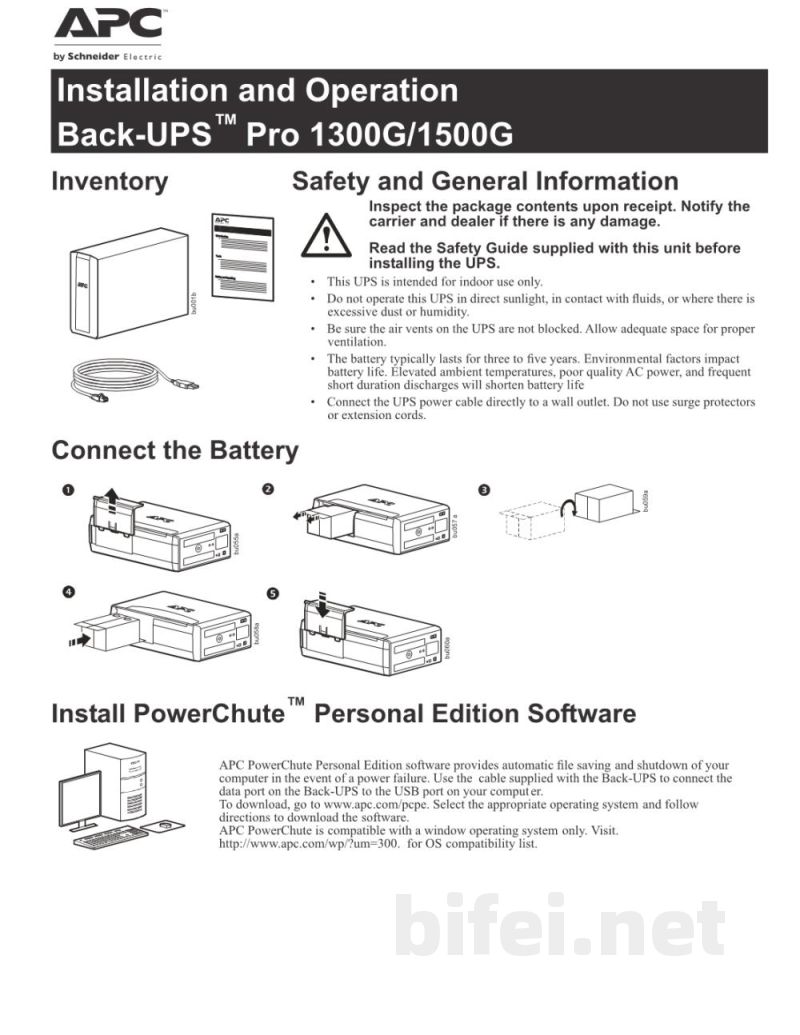
Inventory
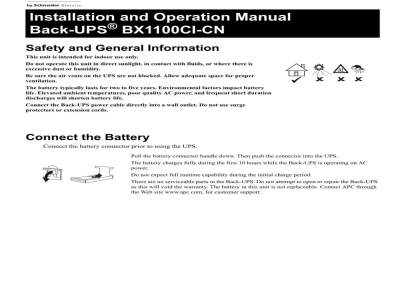
Safety and General Information
Inspect the package contents upon receipt. Notify the carrier and dealer if there is any damage. Read the Safety Guide supplied with this unit before installing the UPS.
This UPS is intended for indoor use only. Do not operate this UPS in direct sunlight, in contact with fluids, or where there is excessive dust or humidity.
Be sure the air vents on the UPS are not blocked. Allow adequate space for proper ventilation.
The battery typically lasts for three to five years. Environmental factors impact battery life. Elevated ambient temperatures, poor quality AC power, and frequent short duration discharges will shorten battery life.
Connect the UPS power cable directly to a wall outlet. Do not use surge protectors or extension cords.
Connect the Battery
Install PowerChute Personal Edition Software
APC PowerChute Personal Edition software provides automatic file saving and shutdown of your computer in the event of a power failure. Use the cable supplied with the Back-UPS to connect the data port on the Back-UPS to the USB port on your computer. To download, go to apc.com/pcpe. Select the appropriate operating system and follow directions to download the software. APC PowerChute is compatible with a Windows operating system only. Visit http://apc.com/wp/?um=3o0 for OS compatibility list.
Connect the Equipment
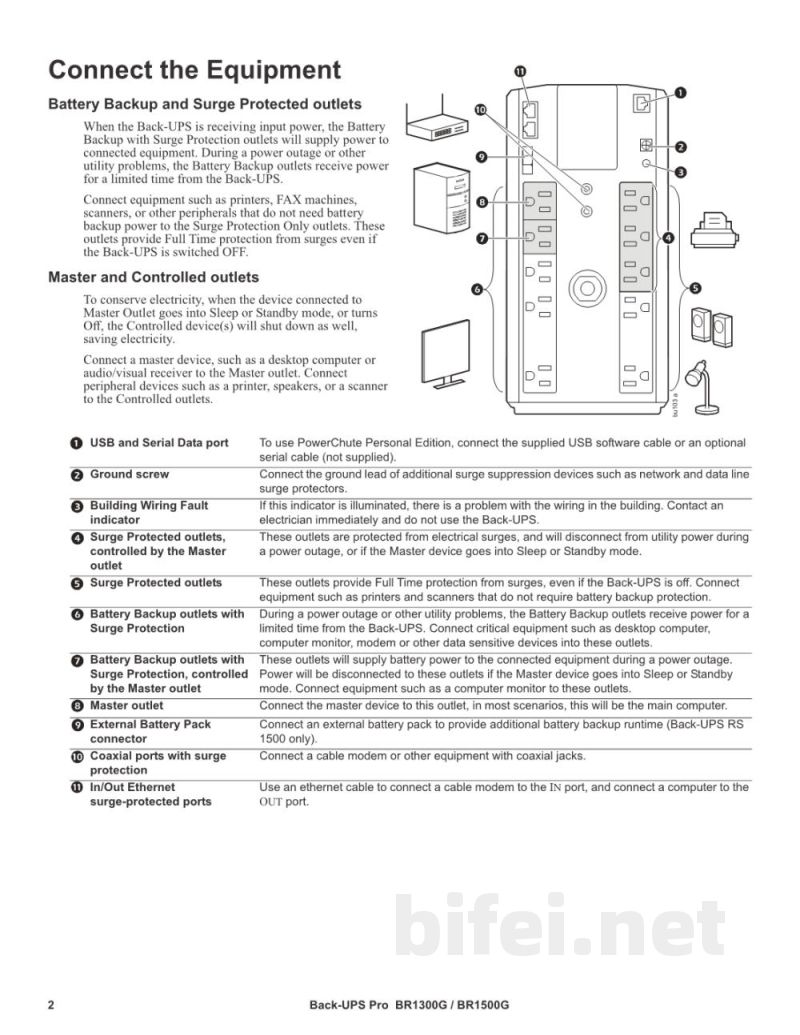
Battery Backup and Surge Protected outlets
When the Back-UPS is receiving input power, the Battery Backup with Surge Protection outlets will supply power to connected equipment. During a power outage or other utility problems, the Battery Backup outlets receive power for a limited time from the Back-UPS.
Connect equipment such as printers, FAX machines, scanners, or other peripherals that do not need battery backup power to the Surge Protection Only outlets. These outlets provide full-time protection from surges even if the Back-UPS is switched OFF.
Master and Controlled outlets
To conserve electricity, when the device connected to Master Outlet goes into Sleep or Standby mode, or turns Off, the Controlled device(s) will shut down as well, saving electricity.
Connect a master device, such as a desktop computer or audio/video system...
Installation and Operation
Back-UPS™ Pro 1300G / 1500G
Inventory
Safety and General Information
Inspect the package contents upon receipt. Notify the carrier and dealer if there is any damage. Read the Safety Guide supplied with this unit before installing the UPS.
This UPS is intended for indoor use only. Do not operate this UPS in direct sunlight, in contact with fluids, or where there is excessive dust or humidity.
Be sure the air vents on the UPS are not blocked. Allow adequate space for proper ventilation.
The battery typically lasts for three to five years. Environmental factors impact battery life. Elevated ambient temperatures, poor quality AC power, and frequent short duration discharges will shorten battery life.
Connect the UPS power cable directly to a wall outlet. Do not use surge protectors or extension cords.
Connect the Battery
Install PowerChute Personal Edition Software
APC PowerChute Personal Edition software provides automatic file saving and shutdown of your computer in the event of a power failure. Use the cable supplied with the Back-UPS to connect the data port on the Back-UPS to the USB port on your computer. To download, go to apc.com/pcpe. Select the appropriate operating system and follow directions to download the software. APC PowerChute is compatible with a Windows operating system only. Visit http://apc.com/wp/?um=3o0 for OS compatibility list.
Connect the Equipment
Battery Backup and Surge Protected outlets
When the Back-UPS is receiving input power, the Battery Backup with Surge Protection outlets will supply power to connected equipment. During a power outage or other utility problems, the Battery Backup outlets receive power for a limited time from the Back-UPS.
Connect equipment such as printers, FAX machines, scanners, or other peripherals that do not need battery backup power to the Surge Protection Only outlets. These outlets provide full-time protection from surges even if the Back-UPS is switched OFF.
Master and Controlled outlets
To conserve electricity, when the device connected to Master Outlet goes into Sleep or Standby mode, or turns Off, the Controlled device(s) will shut down as well, saving electricity.
Connect a master device, such as a desktop computer or audio/video system...
预览图片
第1页
第2页
第3页
第4页
第5页